
A cybersecurity home lab becomes valuable when it teaches you to collect evidence, investigate activity, and explain what happened, rather than simply giving you screenshots of installed tools. If you're targeting SOC analyst jobs without experience, strengthening a cybersecurity resume with verifiable projects, comparing certifications with hands-on labs, or trying to break into cybersecurity without IT experience, this guide builds a beginner SOC environment from the ground up and turns it into hiring proof.
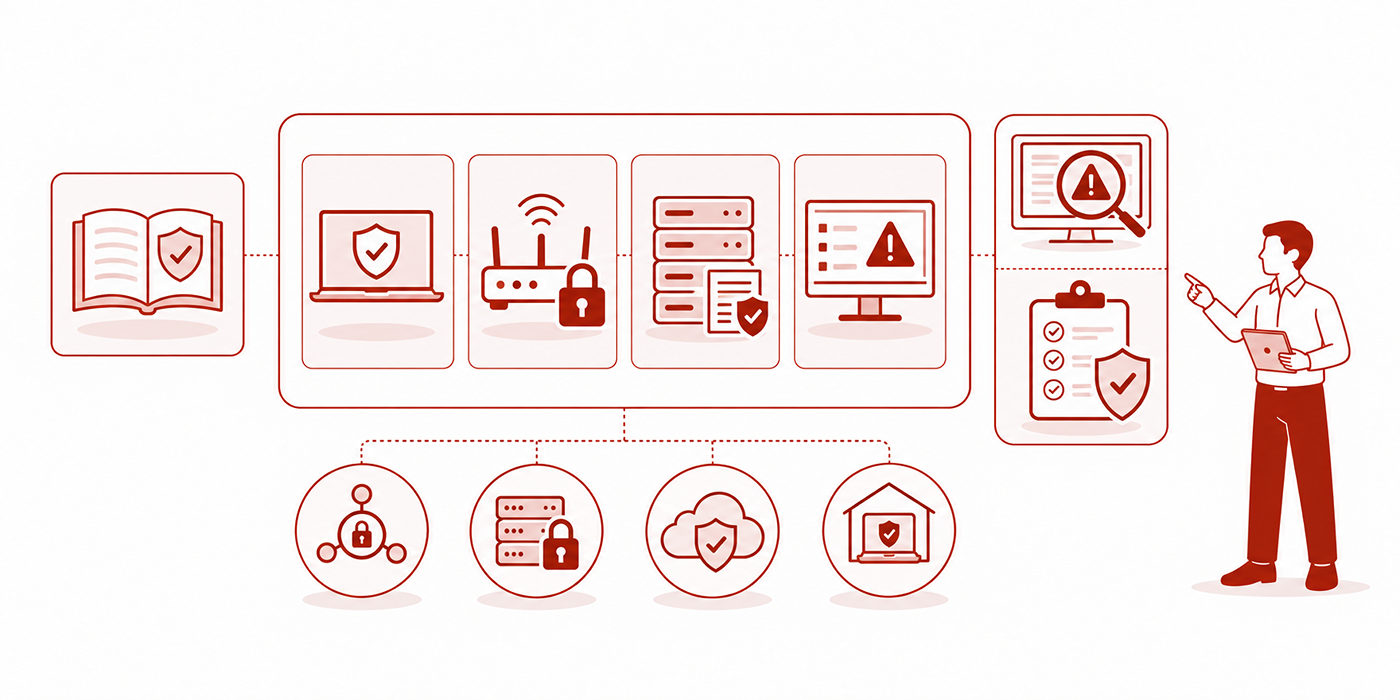
1. What a Beginner SOC Home Lab Should Actually Teach You
A useful SOC lab should reproduce the analyst workflow, not an impressive-looking collection of virtual machines. Your objective is to understand how activity occurs on an endpoint, how telemetry records it, how that data reaches a monitoring platform, how an alert is investigated, and how findings are documented. That workflow directly supports the abilities discussed in what SOC hiring managers want, SOC analyst entry routes, cybersecurity portfolio evidence, and hands-on certification strategy.
For this build, the core stack is intentionally small:
Host computer → virtualization platform → Ubuntu Wazuh server → Windows endpoint → Wazuh agent → Windows Security logs + Sysmon → dashboard → analyst investigation.
Wazuh works particularly well for a beginner because its current quickstart combines the server, indexer, and dashboard into a single-node installation, while the platform is free and open source. Wazuh currently recommends 4 vCPU, 8 GiB RAM, and 50 GB storage for a quickstart deployment covering 1–25 agents. Someone with limited hardware can still learn the architecture by reducing lab scope, but understanding the official recommendation prevents confusion when home-lab performance, SOC training, cybersecurity certification practice, and entry-level hiring expectations begin overlapping.
Do not add Kali Linux, Active Directory, multiple servers, SOAR, threat-intelligence platforms, honeypots, and five SIEM products on day one. Beginners often mistake infrastructure complexity for security skill. A smaller lab where you can explain every event is stronger interview evidence than a huge environment you assembled from tutorials without understanding.
The goal is to reach the point where an interviewer can ask, “What happens when a suspicious process executes on your Windows endpoint?” and you can explain the path from process execution to Sysmon, log collection, SIEM ingestion, correlation, investigation, and analyst conclusion. That is the kind of practical depth missing when Security+ alone produces weak job outcomes, when graduates struggle to get cybersecurity jobs, or when applicants possess plenty of credentials but weak resume evidence.
| Lab Component | What You Learn | Evidence to Produce | SOC Interview Value |
|---|---|---|---|
| Virtualization | VM resources, snapshots, virtual networking | Architecture diagram | Shows infrastructure fundamentals |
| Host-only Network | Network isolation and addressing | Network map | Shows safe lab design |
| Ubuntu Server | Linux administration | Server configuration notes | Demonstrates Linux familiarity |
| Wazuh Server | SIEM/XDR architecture | Working dashboard | Shows monitoring-platform exposure |
| Wazuh Indexer | Event storage and search | Search screenshots | Builds log-analysis vocabulary |
| Wazuh Dashboard | Alert investigation | Filtered alert views | Maps directly to SOC workflows |
| Windows Endpoint | Windows event sources | Endpoint inventory | Important for enterprise SOC work |
| Wazuh Agent | Endpoint-to-SIEM telemetry | Active agent screenshot | Shows log-forwarding understanding |
| Windows Security Log | Authentication and audit events | 4624/4625 investigation | Core L1 SOC skill |
| Sysmon | Detailed endpoint telemetry | Process-event investigation | Strengthens endpoint-analysis skills |
| Process Creation | Parent-child process relationships | Process tree | Useful during malware triage |
| Network Connections | Process-to-destination correlation | Connection timeline | Shows contextual investigation |
| Failed Logons | Authentication failures | Failed-login case | Common SOC triage scenario |
| Successful Logons | Session creation and context | Logon correlation | Helps separate normal from suspicious |
| User Creation | Account lifecycle events | New-account investigation | Useful identity-security scenario |
| Group Membership | Privilege and access changes | Privilege-change case | Connects SOC with IAM |
| PowerShell Telemetry | Command-line investigation | PowerShell timeline | High-value Windows skill |
| Windows Defender Events | Endpoint protection alerts | Detection case notes | Introduces EDR-style triage |
| File Creation | Filesystem telemetry | File-event investigation | Supports malware analysis |
| Event IDs | Windows audit interpretation | Event-ID reference sheet | Improves technical interviews |
| Alert Severity | Prioritization | Severity rationale | Shows analyst judgment |
| False Positives | Benign-versus-malicious reasoning | False-positive analysis | Critical real-world SOC skill |
| Timeline Building | Event correlation | Chronological incident timeline | Demonstrates investigation discipline |
| MITRE ATT&CK Mapping | Behavior classification | Technique mapping | Shows threat-model awareness |
| Detection Logic | Why alerts trigger | Simple rule explanation | Foundation for detection engineering |
| Investigation Notes | Analyst documentation | Case report | Shows professional communication |
| Escalation Decision | Risk-based triage | Escalation rationale | Matches Tier 1 SOC work |
| Remediation Advice | Containment thinking | Recommended actions | Shows investigation-to-response ability |
| GitHub Portfolio | Professional presentation | Public case-study repository | Makes skills externally verifiable |
| Lab Runbook | Repeatable technical procedure | Setup and recovery documentation | Shows operational maturity |
2. Build the SOC Lab Infrastructure Step by Step
Start with your host system. 16 GB RAM gives you much more breathing room, although lighter builds can work with less. A beginner with 8 GB should avoid running several large VMs simultaneously. Allocate resources based on what the machine can actually sustain rather than copying screenshots from someone with 64 GB RAM. This same discipline matters when building hireable cybersecurity projects, studying for SOC analyst roles, developing resume evidence, or deciding which certification investments actually move your career forward.
Install VirtualBox, VMware Workstation, Hyper-V, or another virtualization platform you understand. The brand matters less than learning snapshots, VM resources, virtual switches, IP addressing, and network isolation.
Create two virtual machines:
VM 1: SOC-SIEM
Ubuntu 24.04 LTS
4 virtual CPUs where possible
8 GB RAM where available
50 GB disk
Static or predictable lab IP
VM 2: WIN-ENDPOINT
Windows 11
2–4 virtual CPUs
4 GB RAM
40+ GB disk
Same private lab network as the SIEM
A third system can be added later when you want to explore network security, security automation, deeper SOC investigations, or eventually security architecture. Keep the first version small enough that troubleshooting remains educational.
For networking, give both machines a host-only or otherwise isolated internal network. You can temporarily provide NAT internet access for package downloads and updates, then return to an isolated configuration for experiments. Write the IP addresses down. A beginner who cannot explain how the Windows endpoint reaches the SIEM has skipped a networking lesson that will later matter during SOC interviews, cloud-security learning, IAM troubleshooting, and cybersecurity career interviews.
Next, fully update Ubuntu and create a snapshot called something like:
01-ubuntu-clean
Then install Wazuh.
At the time of writing, Wazuh's official quickstart uses its installation assistant to deploy the dashboard, server, and indexer together:
curl -sO https://packages.wazuh.com/4.14/wazuh-install.sh
sudo bash ./wazuh-install.sh -a
The quickstart outputs the dashboard credentials after installation and exposes the web interface over HTTPS. Save the credentials somewhere secure inside your lab documentation. This is also your first opportunity to practice the habits behind security operations, cybersecurity governance, identity security, and professional security documentation.
Open the Wazuh dashboard from your host browser using the Ubuntu VM's IP address. Confirm the interface loads before doing anything else.
Now snapshot again:
02-wazuh-working
That snapshot can save hours if later configuration changes break the server.
Move to your Windows VM. Finish Windows setup, install updates, rename the machine to something recognizable such as WIN-SOC01, and create a normal user account for testing. Take another snapshot before installing monitoring tools.
Inside the Wazuh dashboard, use the Deploy New Agent workflow. Select Windows, provide the Wazuh manager address, generate the installation command, and execute it as administrator on the Windows endpoint. Once the agent starts, confirm it appears as active in Wazuh.
You now have the minimum architecture behind a real monitoring workflow:
Endpoint → agent → manager → indexed events → analyst dashboard.
Understanding that pipeline gives you significantly more interview leverage than merely writing “Wazuh” under Skills. The same principle explains why certifications need practical evidence, why Security+ alone may not secure interviews, why cybersecurity graduates can struggle despite education, and why a portfolio-driven resume can create differentiation.
3. Add Windows Telemetry, Sysmon and the Logs a SOC Analyst Needs
Default Windows logs already contain valuable information, but Sysmon gives you much richer endpoint visibility. Microsoft describes Sysmon as a service and driver that records detailed system activity including process creation and network connections into Windows event logs. As of 2026, Microsoft also makes Sysmon available as an optional Windows 11 feature, alongside the traditional Sysinternals version.
For a beginner building SOC investigation skills, home-lab evidence, technical interview confidence, and hands-on certification value, process creation alone is incredibly useful because it teaches you to ask who executed something, which parent process launched it, what command line ran, when it happened, and what happened afterward.
Install Sysmon using Microsoft's official package or supported Windows feature. If using the Sysinternals package with a configuration file, a standard installation pattern is:
.\Sysmon64.exe -accepteula -i .\sysmonconfig.xmlWazuh's own documentation uses this pattern and specifically documents collecting the Microsoft-Windows-Sysmon/Operational channel through the Wazuh agent.
Open:
C:\Program Files (x86)\ossec-agent\ossec.conf
Within the existing <ossec_config> section, add:
<localfile>
  <location>Microsoft-Windows-Sysmon/Operational</location>
  <log_format>eventchannel</log_format>
</localfile>
Then restart the Wazuh service from an elevated PowerShell window:
Restart-Service -Name WazuhWazuh's current configuration documentation explicitly supports Windows event channels through this localfile structure.
Now verify ingestion before progressing.
Open PowerShell on Windows and run harmless commands such as:
whoami
hostname
Get-Process
Get-Service
ipconfig /all
Then return to Wazuh and search for activity from WIN-SOC01.
This verification step matters. Beginners frequently build a cybersecurity home lab, install several tools, and never prove that telemetry actually travels end to end. A real analyst needs to understand where evidence disappears when something breaks. That troubleshooting skill also helps in IAM careers, cybersecurity automation, security architecture, and eventually security leadership.
Next, learn a handful of Windows Security event IDs rather than memorizing hundreds.
Start with:
4624 — successful logon
4625 — failed logon
4688 — process creation
4720 — user account created
4726 — user account deleted
4732 — member added to a local security group
1102 — audit log cleared
Microsoft's security-event references specifically identify 4624 and 4625 as successful and failed logons and 4688 as process creation. Those three alone can support several useful SOC portfolio projects, strengthen a no-experience resume, improve performance in SOC interviews, and bridge the gap between Security+ theory and practical skills.
Your next job is learning correlation.
A failed logon means little alone. Ten failed logons for one account followed by a successful login deserve more attention. A PowerShell process is common. PowerShell launched unexpectedly by another process with an unusual command line deserves investigation. A new account can be legitimate. A new account followed by privileged-group membership changes the context.
That shift from “event = bad” toward “event + context + sequence = investigation” is where your lab begins training actual analyst reasoning rather than tool navigation.
4. Generate Safe Security Events and Investigate Them Like a SOC Analyst
Your lab becomes useful when you stop admiring the dashboard and start creating cases.
Keep all experimentation inside the systems you own and intentionally built for testing. The point is to produce understandable telemetry, not to create realistic damage. This approach supports SOC analyst skill development, hands-on cybersecurity learning, portfolio construction, and a stronger entry-level resume.
Case 1: Repeated failed logons
Lock the Windows screen and intentionally enter an incorrect password several times for your lab account. Then sign in successfully.
Search the Windows Security events and Wazuh data for 4625 events, followed by the relevant 4624 success. Microsoft documents 4625 as a failed logon and 4624 as a successfully established logon session.
Document:
Username
Hostname
Timestamps
Number of failures
Successful logon afterward
Logon type
Source address if present
Whether the sequence is expected
Whether you would escalate in a production environment
This teaches the reasoning behind common authentication alerts and creates overlap with IAM and identity-security skills, SOC interview expectations, GRC access controls, and cybersecurity risk analysis.
Case 2: Process investigation
Open PowerShell and run:
whoami /all
Get-LocalUser
Get-NetTCPConnection
These are normal administrative commands. Your investigative task is to locate their process telemetry and explain what occurred.
Ask:
Which process launched PowerShell?
Which account executed it?
What exact command line was recorded?
What time did it occur?
Was the user interactive?
Did any network activity follow?
Would the command be suspicious under a normal employee account?
Microsoft's audit guidance identifies Windows event 4688 as process creation, while Sysmon provides additional process and network telemetry. This small exercise develops the same analytical thinking behind SOC technical interviews, blue-team certification practice, security automation, and cybersecurity research.
Case 3: New local user
Create a disposable lab account:
net user soc-test-user LabOnlyPass123! /addInvestigate the account-creation event. Record which administrator performed the action, the exact time, the new username, and whether additional privilege changes followed.
Then remove the account after the case:
net user soc-test-user /deleteThis teaches account-lifecycle investigation and creates an obvious bridge between SOC analysis, digital identity management, cybersecurity auditing, and access governance.
Case 4: Normal outbound connection
Open a browser and visit several normal websites or run:
Test-NetConnection example.com -Port 443Find the associated network activity in the telemetry available to you. Identify the process, destination, port, protocol, and time.
Then answer a harder question: What extra context would you need before calling the connection suspicious?
Domain reputation? User activity? Parent process? Destination geography? Frequency? Process path? Threat intelligence? That question trains judgment better than simply searching for “bad IPs.” It also prepares you for the alert-volume problems described in cybersecurity burnout and alert fatigue, where analysts must prioritize evidence rather than treat every event as a threat.
Case 5: Build an incident timeline
Combine multiple benign actions:
Failed login attempts
Successful login
PowerShell launch
Account enumeration
Network connection
New local account
Account deletion
Then build a timeline showing timestamps and evidence sources.
Your job is to tell the story without assuming malicious intent.
That distinction matters. Mature analysts separate observations from conclusions. “PowerShell executed at 10:32” is evidence. “An attacker executed PowerShell” is a conclusion that needs support. Learning that discipline helps with SOC investigations, cybersecurity auditing, risk management, and eventually security architecture.
For every case, create a mini SOC ticket using this structure:
Alert: What triggered investigation?
Evidence: Which logs support the case?
Timeline: What happened and in what order?
Assessment: Benign, suspicious, or confirmed malicious?
Confidence: Low, medium, or high?
Escalation: Would Tier 1 close or escalate it?
Recommended action: What should happen next?
Lessons learned: Which additional telemetry would improve confidence?
Do this five times and you have substantially stronger material than someone who writes “familiar with SIEM” on a resume.

5. Turn the Home Lab Into Portfolio Evidence That Employers Can Verify
A lab only helps your career when another person can understand what you built.
Begin with a one-page architecture diagram. Show the host, virtual network, Ubuntu Wazuh server, Windows endpoint, Wazuh agent, Sysmon, Windows event channels, and data flow. This single visual proves that you understand architecture instead of merely following installation instructions. That strengthens a cybersecurity resume without experience, supports SOC analyst applications, reinforces the value of hands-on labs beside certifications, and helps overcome entry-level cybersecurity competition.
Next, document each investigation as a case study.
A strong case-study title looks like:
Investigating Repeated Windows Authentication Failures With Wazuh
Then include:
Objective
Lab architecture
Data source
Relevant event IDs
Alert or hypothesis
Investigation steps
Screenshots
Timeline
Findings
False-positive considerations
Escalation decision
Recommended remediation
What you would add in production
This creates a far stronger proof artifact than fifty screenshots of dashboards. It demonstrates the skills employers expect when evaluating SOC analyst candidates, cybersecurity home-lab projects, career changers, and people competing with candidates who already possess degrees or certifications.
Put the work in GitHub or another portfolio platform. Remove passwords, personal information, unnecessary IP addresses, API keys, and anything you would never publish from a production environment.
Your repository can contain:
soc-home-lab/
├── README.md
├── architecture/
├── setup-notes/
├── investigations/
│   ├── failed-logons.md
│   ├── powershell-investigation.md
│   ├── new-user-created.md
│   └── network-connection.md
├── detection-notes/
└── screenshots/
The README should explain the environment in under two minutes. Recruiters and hiring managers should immediately understand what you built and why.
Your resume can then use evidence-based bullets such as:
Built a Windows SOC lab using Wazuh, Sysmon, and Windows Security telemetry to collect and investigate authentication, process, account, and network events.
Investigated simulated endpoint activity by correlating Windows logon, process-creation, Sysmon, and account-management events into documented incident timelines.
Created repeatable SOC case reports containing evidence, analyst assessment, severity rationale, escalation decisions, and recommended remediation.
That language works because it describes actions rather than claiming professional experience you do not have. It follows the same evidence-first philosophy behind a strong no-experience cybersecurity resume, a home lab designed for hiring, a smarter certification-versus-lab strategy, and a realistic cybersecurity career-change plan.
Once the basic lab feels easy, expand one capability at a time.
Add Active Directory if you want stronger identity and IAM skills. Add detection rules if you want to move toward security automation. Add Splunk if target SOC roles repeatedly request it; Splunk continues to offer free trial environments for learning and evaluation. Add cloud logging when moving toward cloud security. Add vulnerability-management exercises if target jobs require them.
Avoid tool collecting.
Your hiring value rises when you can explain why data exists, how it was collected, what it means, what evidence changed your hypothesis, and what action should follow. That is the transferable skill underneath Wazuh, Splunk, Sentinel, QRadar, EDR platforms, and future security tools. It is also why practical experience remains so important when evaluating Security+ outcomes, SOC hiring expectations, AI's effect on junior cybersecurity roles, and the broader cybersecurity job market.
6. FAQs About Building a Beginner SOC Home Lab
-
Wazuh's current quickstart recommends 4 vCPU, 8 GiB RAM, and 50 GB storage for its all-in-one deployment covering 1–25 monitored endpoints. Your Windows VM also needs memory, so a host with 16 GB RAM provides a much more comfortable beginner experience. People with weaker hardware can reduce concurrent VMs, use cloud-based alternatives, or build one component at a time. The important thing is still producing SOC investigation evidence, a verifiable cybersecurity portfolio, and useful resume projects.
-
Wazuh makes a strong first lab because you can build a complete monitoring environment locally without making licensing the center of the project. Splunk is valuable when the SOC jobs you are targeting repeatedly request it, while Sentinel becomes especially relevant for Microsoft and cloud-heavy environments. Learn one SIEM deeply enough to understand ingestion, filtering, investigation, and alert logic before adding another. That approach also strengthens certification ROI, SOC interviews, and cybersecurity resumes.
-
Your first SOC lab can teach enormous amounts with a Windows endpoint, Linux SIEM server, Windows logs, and Sysmon. Kali becomes useful when you want controlled attack simulation or deeper offensive-security context. Building it immediately can distract from understanding SIEM investigation, Windows telemetry, SOC hiring skills, and resume evidence.
-
Start with events you can explain and reproduce: 4624 successful logon, 4625 failed logon, and 4688 process creation. Microsoft includes these among key Windows security-event collections. Then expand into account creation, privilege changes, audit-policy changes, service activity, and relevant Sysmon events. Understanding context matters more than memorizing hundreds of numbers, especially when preparing for SOC interviews, Security+ practical gaps, and entry-level SOC applications.
-
A home lab gives you practical evidence when professional security experience is unavailable. It demonstrates initiative, troubleshooting, technical fundamentals, investigation discipline, and communication. Employers can still distinguish lab work from production responsibility, so describe it accurately. The strongest strategy combines hands-on labs, existing transferable experience, a proof-based resume, and applications aligned with real SOC hiring expectations.
-
Publish architecture diagrams, sanitized configuration notes, detection explanations, investigation write-ups, event timelines, screenshots, analyst conclusions, and remediation recommendations. Avoid passwords, tokens, sensitive host information, or copied material you do not have permission to publish. A focused portfolio supports a cybersecurity resume without experience, provides the evidence missing from certification-only profiles, strengthens SOC job applications, and helps candidates compete in a crowded cybersecurity market.
